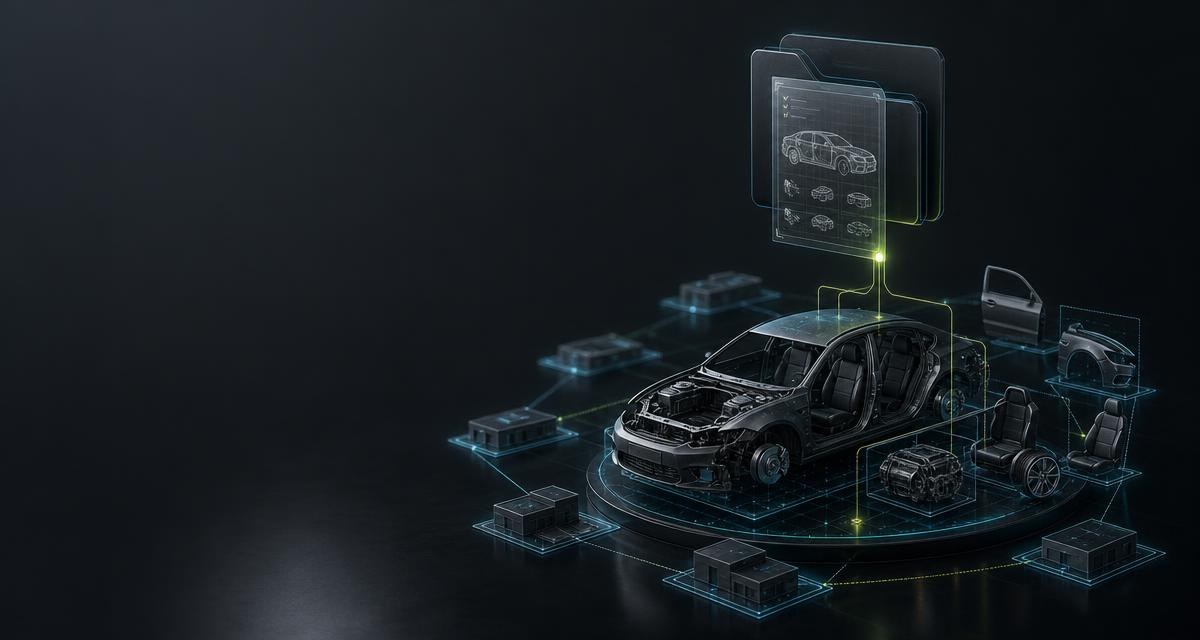
- Software for vehicle dismantlers
- Operating software for vehicle dismantlers keeps the vehicle file from intake to the release of the bare shell: vehicle data, certificate of destruction, depollution, removed parts, storage location and sale in one database. It is used by authorised treatment facilities, collection points and dismantlers who sell parts. This page is written for vendors of such software who want to pull vehicle and part data into the file through a lookup instead of having it typed.
Where data is missing in the process
The vehicle file is created at intake, and time is short there: the person delivering the vehicle is waiting for the certificate, the registration document lies on the counter, the vehicle stands in the yard. At five points something is typed, estimated or left open today:
- Creating the file. VIN, make, type and vehicle category are typed from the registration document. A mis-typed VIN makes the later certificate of destruction contestable — see The registration certificate: the fields that matter in the yard.
- Classifying the vehicle. Whether a vehicle is to be treated as an end-of-life vehicle is decided in the yard and rarely documented with pictures — see The German end-of-life vehicle ordinance: duties for owners and dismantlers.
- Depth of dismantling. Which parts are removed is decided by experience, not by a documented revenue expectation per part — see Depth of dismantling: which parts are worth removing.
- Part number and condition at removal. The number from the label ends up on a slip of paper written with oily hands; the condition field says „good“ because the field had to be filled — see Part identification: from removed component to sellable record.
- Classifying the stock. Main group and position under VDI 4081 are assigned differently in every yard because no catalogue is stored in the system.
What the API delivers
| Process step | Call | Result |
|---|---|---|
| Create the file | POST /vehicles/intake | Document fields, vehicle data with tapiId, optional condition report; components states what was delivered |
| Classify the vehicle | POST /vision/vehicle/elv-classification | kein_altfahrzeug_verdacht, gutachten_empfohlen or altfahrzeug from 1 to 10 images, with finding and images per criterion |
| Fetch the parts list | GET /vin/{vin}/parts | Parts list at type level per the intake binding, matchLevel=vehicle_type_candidates; other provider: 409 vin_provider_mismatch |
| Plan the dismantling | GET /vin/{vin}/economic-evaluation | Revenue ranking with min/average/max per part, purchase recommendation; provider=1 only — a route of its own via the browser session, not after intake on the same VIN |
| Capture a label | POST /scanner/label/extract-partnumbers | Part and reference numbers from the label image; what is unreadable stays empty |
| Grade the condition | POST /vision/part/quality | Grade A/B/C from 1 to 3 images, visualOnly; gradable=false with reason when no statement is possible |
| Classify the stock | GET /vdi | VDI 4081 catalogue with version and check value; the assignment per part comes from GET /parts/oe/{oeNumber} |
One process from start to finish
- Intake: photograph the registration document. Your software sends the
fileUrlof the image toPOST /vehicles/intake, optionally with walk-around photos asphotoUrlsfor a condition report. Back come document fields, vehicle data withtapiIdand the report; what the document does not show stays empty. - Issue the certificate. VIN, make, type and registration number from the document fields fill the certificate of destruction.
POST /vision/vehicle/elv-classificationdocuments the end-of-life classification with a finding and images per criterion; the legal decision stays with the yard. - Fetch the parts list. Directly after intake, the software calls
GET /vin/{vin}/partswithoutprovider. The intake has bound the VIN to data path 2; the call takes over that binding and returns the parts list at vehicle-type level withmatchLevel=vehicle_type_candidates, as a rule immediately with200. Several variants of one part may stand side by side. An explicitproviderthat contradicts the existing binding is rejected with409 vin_provider_mismatch. - Or: the provider 1 route, chosen before the first match. The revenue ranking is based on the vehicle-specific parts list from provider 1, and a third-party system may not call the provider 1 match directly. The software therefore decides per vehicle before the first match which route it takes: intake via data path 2 with the parts list at type level — or the provider 1 route, on which your server creates a session with
POST /vin/redirect-sessionsfromvin,returnUrland optionallystateand sends the user to theredirectUrl; the return toreturnUrlcarriesstatus=completedand thetapiId. The session expires after ten minutes; vehicle data never appears in the redirect. The specification does not document changing an existing VIN binding; aprovidercontradicting the binding is rejected with409 vin_provider_mismatch. - Plan the dismantling. On the provider 1 route,
GET /vin/{vin}/economic-evaluationwithprovider=1returns, after the match from the browser session, the ranking sorted by revenue withmin/average/maxper part; small parts are filtered out. If not all evaluations are available yet, the call answers202withLocation,Retry-Afterand a job ID forGET /vin/economic-evaluation/jobs/{jobId}. The software shows the ranking as a work list; where the line runs is decided by the yard. - Removal: photograph the label.
POST /scanner/label/extract-partnumbersreads part and reference numbers;GET /parts/oe/{oeNumber}returns name, exactly onetapiGenArtand the VDI 4081 assignment for a confirmed match,404means no match. - Grade the condition. One to three images go to
POST /vision/part/quality; back comesA,BorCwithlimitations— orgradable=falsewithreason; the field then stays empty. - Keep the stock.
GET /vdireturns the catalogue with version and check value against which the software aligns its main groups; depollution, part removal and release of the shell sit under the sametapiId— see Depollution: what has to come out before dismantling.
curl \
  -H 'X-Api-Key: <API_KEY>' \
  -H 'Content-Type: application/json' \
  -d '{
    "fileUrl": "https://<YOUR_SERVER>/files/4711/registration.jpg",
    "photoUrls": [
      "https://<YOUR_SERVER>/files/4711/walkaround-front.jpg",
      "https://<YOUR_SERVER>/files/4711/walkaround-rear.jpg"
    ]
  }' \
  'https://api.tapinomahub.com/vehicles/intake'
The integration
- Store the key server-side. The
X-Api-Keybelongs in your backend configuration; the photo from the tablet in the yard goes to your server, and only your server calls the API. - Start with one endpoint. For dismantler software that is
POST /vehicles/intakebehind intake, because every later entry hangs on the file. The sequence contract, key, process, go-live is described in the integration guide. - Define the field mapping. Document fields, vehicle data and condition report have fixed targets in the file; the
tapiIdgets its own field, as does the provenance of each value: read, matched or typed by hand. - Separate empty result and error. If
tapiIdin the file staysnullandcomponentsreports the vehicle component as not delivered, that is a business result, not an error: create the file, leave the vehicle field empty, raise a clarification task; the document fields remain part of the answer, and the vehicle share is refunded proportionally. Only a technical error is retried. - Collect asynchronous answers. Parts list and economic evaluation may answer
202; on the provider 1 route both require the match from the browser session, chosen before the VIN was first matched. The software remembers the job ID and pollsGET /vin/parts/jobs/{jobId}orGET /vin/economic-evaluation/jobs/{jobId}afterRetry-Afterinstead of repeating the call. - Roll out. First at one yard, then across the board.
GET /client/usageand, per workspace,GET /client/users/{clientId}/usageshow which calls run how often.
What to watch out for
- Set an `Idempotency-Key`. On repeatable calls the header prevents duplicate files after a timeout;
X-Tapinoma-Idempotent-Replaymarks the replay. Exception:POST /client/partner-workspacesissues a secret key once and is not replayed — after a timeout, reconcile what exists instead of retrying blindly. - Do not fill empty fields. If a document field stays empty or
gradable=falsecomes back, the field in the file stays empty and gets a clarification task. A guessed VIN on a certificate of destruction is worse than a visible gap. - Store the `tapiId`. It is the anchor of the file:
GET /vehicles/{tapiId}returns the technical data as part of the previously paid VIN workflow, without VIN and without equipment, and every removed part hangs on it. - Never the key in the browser. A web or tablet application also calls the API from the backend; the device talks only to your server.
- Set rate limits per workspace.
PUT /client/users/{clientId}/rate-limitslimits per user, key or endpoint, so that an image import at one yard does not use up everyone else's quota;X-Tapinoma-Usage-Warningsignals a low credit. - Have the result checked. Ranking and condition grade are the basis for a decision, not the decision; market price evaluations are reused for up to 30 days. The dismantler confirms, the software records where a value came from.
What the API does not do
The API does not sell a database: what is owed is the lookup or analysis and the output of its result; checking before use lies with the yard. It does not issue a certificate of destruction; it delivers the entries for it and documents where they came from. The end-of-life classification is a visual check from images, not an expert report; the condition report contains no repair or residual value calculation; the economic evaluation is a revenue expectation, not a price guarantee. There is no keeper lookup. Vehicle data from provider 1 may not be retrieved directly by third-party systems: GET /vin/{vin}/vehicle answers redirect_required there, and the match runs through a browser session from POST /vin/redirect-sessions that expires after ten minutes; providers 2 and 3 can be queried directly. Where a field is not documented it stays null — the API does not guess, and your software should not either.
Frequently asked
Can every dismantling yard have its own billing?
Yes. POST /client/partner-workspaces creates a separate, individually billable workspace per yard. Whether the yard pays itself or you as the vendor cover the costs is set per workspace and endpoint.
What happens if the registration document is unreadable?
The fields the image does not show stay empty. The reading is billed because it was performed; only a component of the file that was not delivered at all is refunded proportionally — components names it. The software creates the file and hands the document over for manual entry.
Is the dismantling ranking a removal instruction?
No. It is a list sorted by revenue potential with min/average/max per part and no price guarantee. Where the line runs is decided by the yard — see Depth of dismantling: which parts are worth removing.
Why does the parts list sometimes arrive with `202`?
For provider 1 a job is started when there is no cache hit; the answer names Location, Retry-After and the job ID. The software polls GET /vin/parts/jobs/{jobId} instead of repeating the call.