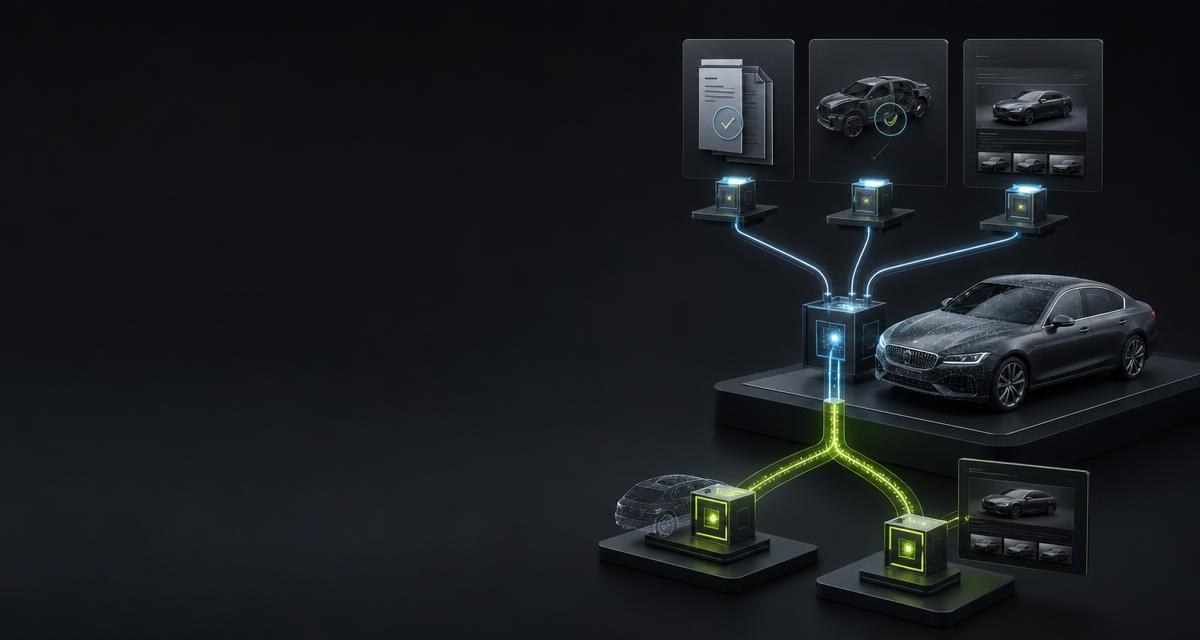
- Remarketing software
- Software with which leasing companies, fleet financiers and return-logistics providers handle the return of vehicles at the end of a contract: return protocol, condition assessment, release for remarketing via auction or dealer and — for vehicles that can no longer be marketed — hand-over to a dismantler. It is used by return teams, by logistics contractors at the return sites and by auction platforms. This page addresses the vendors of such software.
Where data goes missing in the process
A vehicle return is a short appointment with many transfers: the registration document is photographed and typed up later, the condition goes into a free-text field, the listing is assembled from the contract record — which does not always describe the vehicle that actually came back. Gaps regularly arise at five points:
- At acceptance. The VIN from the contract and the VIN on the document are not cross-checked; typing errors surface only when the listing is live or the deregistration fails.
- In the condition protocol. Every site photographs and describes differently. Two reports on the same damage are not comparable, and a buyer on the auction platform can rely on neither.
- In the listing. Title, description and equipment list are written by hand for each vehicle — and once more in another language for every target market.
- Before release. Nobody systematically checks whether an open recall exists for the model series, although the vehicle is going to a new keeper.
- At the end of the chain. Vehicles that can no longer be marketed go to dismantling without a data basis: whether they legally count as end-of-life vehicles and what the parts still yield remains guesswork.
What the API delivers
| Process step | Call | Result |
|---|---|---|
| Create the return | POST /vehicles/intake | Document fields, vehicle data with tapiId, optional condition report; components names what was delivered |
| Document the condition | POST /vision/condition-report | Findings in eight zones in a fixed order, overall grade A/B/C; up to 8 photos |
| Capture the plate | POST /vision/license-plate | Characters, comparison form, country, confidence and position in the image; up to 3 photos, no keeper lookup |
| Check recalls | GET /recalls/vehicles/{vin} | Per campaign reference, register, defect, remedy, stop-drive flag and match confidence; texts in de/en/fr |
| Create the listing | POST /vehicles/{tapiId}/listing | Title, description and equipment highlights in de, en or fr; no prices, no condition statements |
| Classify as end-of-life | POST /vision/vehicle/elv-classification | Level kein_altfahrzeug_verdacht, gutachten_empfohlen or altfahrzeug; per criterion finding, confidence, evidence images |
| Calculate dismantling value | GET /vin/{vin}/economic-evaluation | Parts revenue potential as min/average/max, dismantling ranking by revenue, purchase recommendation |
One process from start to finish
- Before the walk-around: reset the vehicle. Infotainment to factory settings, pairings disconnected, storage media removed — while the vehicle still has power. This is not an API call but a field in the return protocol; why is explained in Data in the end-of-life vehicle.
- Create the return in one call. The app at the site uploads the photo of the document and up to 5 walk-around photos; the backend calls
POST /vehicles/intakewithfileUrlandphotoUrls. Back come the document fields, the vehicle data withtapiIdand the condition report in eight zones.componentsstates for each part whether it was delivered; commercial treatment follows the terms shown before ordering and agreed in the contract. - Check the plate against the contract. From one front photo,
POST /vision/license-platereads characters, country and confidence — for comparison with the contract record, not as a keeper lookup. - Match recalls before release.
GET /recalls/vehicles/{vin}checks the model series against the official registers. A campaign with a stop-drive flag blocks the release in your own system; the others are completed before hand-over or attached to the listing as a note. - Generate the listing.
POST /vehicles/{tapiId}/listingwithlanguageper target market and dealer notes innotesreturns title, description and equipment highlights from the documented vehicle data. Price and condition statement are added by your own software; the text invents no properties. - Classify vehicles that cannot be marketed. Where accident, defect or age rule out remarketing,
POST /vision/vehicle/elv-classificationdelivers the classification from 1 to 10 photos with evidenced criteria; the legal distinction is covered in Used car or end-of-life vehicle and Accident vehicles. What the vehicle still yields in dismantling is answered byGET /vin/{vin}/economic-evaluationwithprovider=1— a long-running operation that answers with202. The evaluation requires the vehicle match with provider 1, which the intake does not deliver: for third-party systems it runs through the user's browser viaPOST /vin/redirect-sessions; the call follows only after the return withstatus=completed. - Store the identifier. The
tapiIdgoes into the vehicle file.GET /vehicles/{tapiId}later delivers technical vehicle data as part of the previously paid VIN workflow — without VIN and equipment and without a renewed match.
curl \
  -H 'X-Api-Key: <API_KEY>' \
  -H 'Content-Type: application/json' \
  -H 'Idempotency-Key: <IDEMPOTENCY_KEY>' \
  -d '{
    "fileUrl": "https://example.com/return/registration.jpg",
    "photoUrls": [
      "https://example.com/return/front.jpg",
      "https://example.com/return/rear.jpg"
    ]
  }' \
  'https://api.tapinomahub.com/vehicles/intake'
The integration
- Keep the key server-side. The
X-Api-Keyheader is set only from the backend. The return app talks to your server, never to the API directly. - Start with one endpoint.
POST /vehicles/intakereplaces three captures at once and is the most rewarding entry point. Recalls, listing and end-of-life classification follow as separate steps. - Define the field mapping. Which document fields, vehicle data and zones of the condition report land in which fields of the return protocol? That mapping is the actual work; the reference is in the integration guide.
- Separate failure from empty result. For the intake, an empty result is a
200response: if the VIN stays unreadable or the data path does not answer,components.vehicleisvin_not_readableorunavailableandcompleteisfalse. The return is created, the document fields taken over, the match remains follow-up work.404 vehicle_not_foundis the empty result for the VIN atGET /vin/{vin}/vehicleand the economic evaluation; atPOST /vehicles/{tapiId}/listingandGET /vehicles/{tapiId}the same code means an unknown or foreigntapiId. For the recall match,404means the VIN cannot be resolved from the existing stock. Commercial treatment follows the terms shown before ordering and agreed in the contract. Retry only when the analysis could not be performed at all. - Build in retrieval for `202`. The economic evaluation answers with
202,Location,Retry-Afterand a job ID;GET /vin/economic-evaluation/jobs/{jobId}retrieves the result — from a queue in your backend, not from the app. - Roll out site by site. One return site first, then the others.
GET /client/usageshows which calls run how often;X-Tapinoma-Usage-Warningsignals low credit.
What to watch out for
- Set `Idempotency-Key`. An app on a mobile network occasionally sends twice; with the header, the second call is recognised as a repeat (
X-Tapinoma-Idempotent-Replay) and not billed twice. Exception: calls that issue a key are not replayed — after a timeout, reconcile what exists instead of creating again. - Leave empty fields empty. An unread document field, a zone without findings, a vehicle without a match: the result names the gap, and the software takes it over as a gap — no default value, no completion from the contract.
- Store `tapiId` on the file. It is the stable identifier for listing and vehicle data. Whoever discards it matches the same vehicle a second time.
- Never put the key in the browser. Neither in the return app nor in the dealer portal. Every call goes through your backend.
- Plan for rate limits. A bulk import from the archive belongs in a queue. Limits per user, key or endpoint are set by you via
PUT /client/users/{clientId}/rate-limits. - Have the result checked. Condition report, recall match and listing copy are working aids; the release remains a decision in your own process. A performed image analysis is billed, even without findings.
What the API does not do
The condition report is not an appraisal and contains no repair or residual value calculation; it describes what is visible in the photos and marks zones without findings as such. The plate is read, not checked against a register; there is no keeper lookup. The listing copy names no prices, and the economic evaluation is a purchase recommendation from market references, not a price guarantee — how a purchase is calculated is covered in Vehicle purchasing. Vehicle data from provider 1 cannot be fetched directly by a third-party system via GET /vin/{vin}/vehicle; that match runs through the user's browser via POST /vin/redirect-sessions. No data set is sold: what is owed is the execution of the query or analysis; the result is checked and used by you and your customers.
Frequently asked
Does the condition report have to be ordered separately?
No. POST /vehicles/intake accepts the walk-around photos via photoUrls and delivers the report with the rest. Condition only, without a document: POST /vision/condition-report.
What happens when the VIN on the document is unreadable or the data path does not answer?
The document fields are delivered; components.vehicle is vin_not_readable or unavailable and complete is false. That is an empty result, not an error — the return is created and the match remains follow-up work. Commercial treatment follows the terms shown before ordering and agreed in the contract.
Can the listing be generated in several languages?
Yes, one language per call via language with de, en or fr. The text comes from the documented vehicle data; prices and condition statements are added by your software.
Does the recall match replace the manufacturer's information?
No. It is series-related and a working aid with a match confidence per campaign. Whether a campaign has been completed on this particular vehicle is known only to the manufacturer or the workshop.