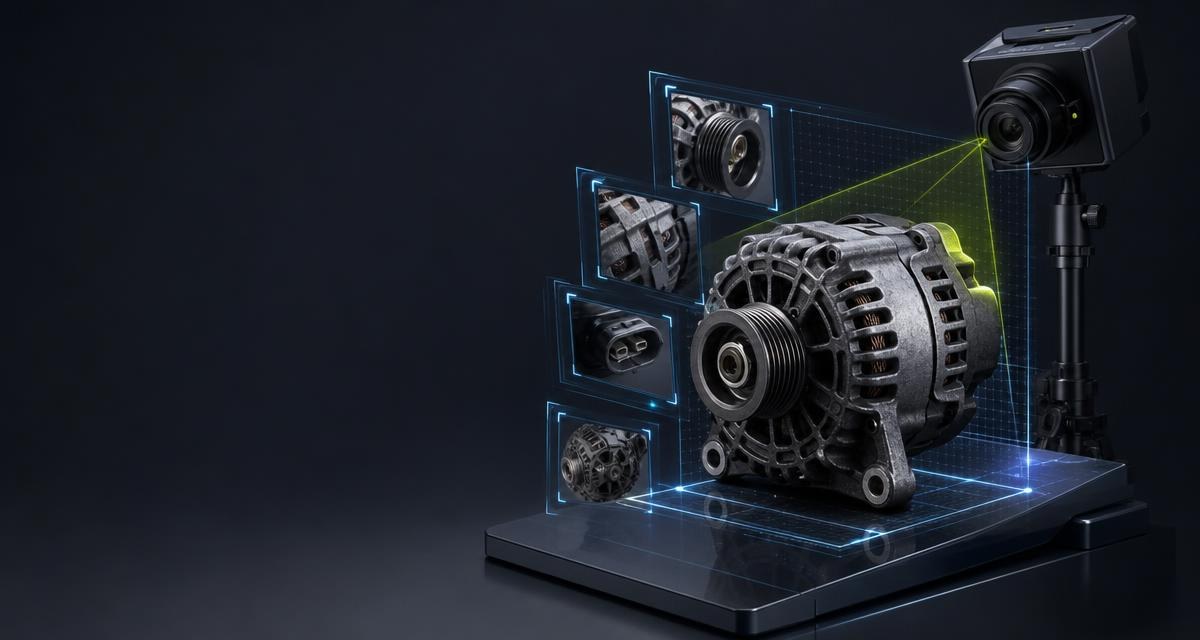
With a new part the customer buys a specification. With a used part they buy a single item they have never held. The images are the only thing that closes that gap. At the same price, a listing without an image is systematically bought later than one with — and returned more often.
The image sequence that works
- Overall view. The complete part, cut out or against a calm background, in the orientation the buyer knows.
- Identifier. Type plate, printing or stamping, large and sharp. This image is also the evidence for the number you state.
- Connectors and mountings. Plugs, flanges, threads, brackets — the places where variants differ.
- The defect. Scratch, crack, corrosion, missing tab. Show it and you sell more slowly but keep the money.
- Scale where needed. For parts without an obvious size, a folding rule helps more than any description.
Shooting in the workshop
- A fixed spot. A table with even background and light beats any retouching. Set it up once and save on every part.
- Diffuse light instead of flash. Flash creates reflections on painted and metallic surfaces and erases exactly the stampings that matter.
- Clean enough, not like new. Remove coarse dirt, but do not prepare the part so that the image suggests a better condition than it has.
- Always the same order. A fixed sequence makes images comparable and prevents forgotten shots.
Cutting out: the difference that counts
Background removal uses generative editing to present the photographed part on a pure white background. Compare the result with the original before publication:
| Method | What happens | Verdict |
|---|---|---|
| Keep the original photo | The unedited photo records identifiers, geometry and the condition of the individual part. | Basis for comparison |
| Review the edited image | Generative editing places the part on a white background. Details can change. | Use only after visual review |
Clean edges alone do not establish an accurate depiction. Check the type plate, casting marks, openings, scratches and missing fixings in particular. Use the original photo if material differences remain.
When there is no reference image
For new parts and for product groups without any usable photograph, a depiction can also be generated without a reference. That is an explicitly ordered mode and produces a depiction, not a photograph of the specific part. It has to be marked as such and must not appear as a photo of the individual item on offer.
A legal note in passing
Photos from other online shops or from manufacturer catalogues are other people's work. Using them in your own listing without permission is not allowed — however easy they are to find. For a single item your own photo is better anyway: the buyer wants to see this part, not another one.
Frequently asked
How many images does a listing need?
Three to five usually suffice: overall view, identifier, connectors and, where present, the defect.
Should I photograph defects?
Yes. A shown defect costs a few interested buyers; a concealed one costs the return and the review.
Is an AI cut-out image acceptable?
The editing is generative and can change details. Check it against the original photo, follow the applicable publication rules and keep the original as condition evidence.
May I use manufacturer photos?
Not without permission. And for a single item your own photo says more anyway.