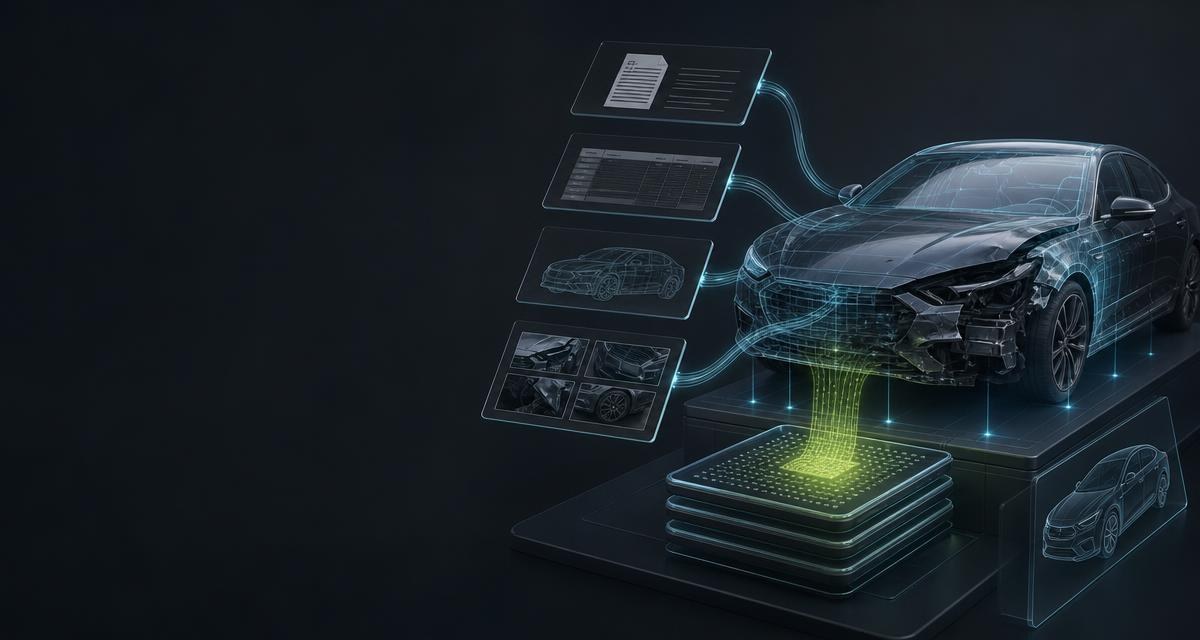
- Appraisal software
- Software with which vehicle assessors produce damage reports, valuations and condition reports: order management, vehicle file, damage capture, report output. Used by assessors' offices, by insurers and fleets in claims management, and by dealerships and workshops. This page addresses the vendors of that software.
Where data is missing in the process
A report almost always starts with material that already exists: certificate as a phone photo, workshop calculation as a PDF, earlier report, photos from the workshop floor. In the software it is attached, not read. The fields are typed in by someone.
- Vehicle intake. VIN, type keys and emission data (see Emission standards: what Euro 1 to Euro 7 mean) are transferred from the certificate into the vehicle file — every manual transfer is a source of error.
- Preliminary calculation and earlier reports. Totals, line items and equipment are captured again although they are in the document.
- Damage description. The text “front bumper deformed, scratches down to the primer” is written anew for every order and in different wording for every assessor.
- Prior damage. The walk-around is photographed but rarely captured in a structured way — although damage outside the damage zone feeds into replacement and salvage value.
- Recalls and classification. Open recalls and the vehicle's status — still goods or already waste — are researched separately or not at all.
What the API delivers
| Process step | Call | Result |
|---|---|---|
| Take over a report or calculation | POST /scanner/document/calculation | Vehicle, totals, spare-part, labour and paint data, equipment with DAT codes; missing values null |
| Order, invoice, configuration | POST /scanner/document/vehicle | Document type, VIN, basic data, powertrain, transmission, energy, colors, equipment |
| Registration certificate | POST /scanner/document/registration | Fields of the German certificate; other countries via /international with sourceValue |
| VIN from a photo and match | POST /scanner/vin/extract, then GET /vin/{vin}/vehicle | VIN or null if unreadable; vehicle data with tapiId or 404 vehicle_not_found |
| Describe damage | POST /vision/damage/describe | Six fixed sections from 1–5 photos; sections without findings marked as such |
| Condition and classification | POST /vision/condition-report, POST /vision/vehicle/elv-classification | Findings per zone with overall grade A/B/C; end-of-life grade with finding and confidence per criterion |
| Recalls | GET /recalls/vehicles/{vin} | Measures with file reference, register, defect, remedy and stop-drive flag |
Scanner endpoints return only values that are in the document or image; what is missing stays null. For personal documents such as the certificate only the level standard is currently available. POST /vehicles/intake combines certificate, VIN match and walk-around in one call (fileUrl, photoUrls); components states what was delivered, and what was not is refunded proportionally.
One process from start to finish
A workshop customer reports front-end damage and sends photos plus a photo of the registration certificate.
- Read the certificate. The photo goes to
POST /scanner/document/registrationas a file URL; VIN and type keys land structured in the vehicle file (fields in The registration certificate: the fields that matter in the yard). Foreign documents:POST /scanner/document/registration/international. - Confirm the VIN on the vehicle. Without a certificate,
POST /scanner/vin/extractreads the number from a photo of the windscreen, type plate or stamping. Unreadable meansvinequal tonull— the software asks back, it adds nothing. - Match the vehicle.
GET /vin/{vin}/vehiclereturns vehicle data and a stabletapiId. Providers 2 and 3: direct query; provider 1:redirect_required— your server creates a session withPOST /vin/redirect-sessions(vin,returnUrl, optionallystate) and redirects the assessor toredirectUrl; the match runs in the tapinoma interface, and the return toreturnUrlcarriesstatus=completed,tapiIdandstate.404 vehicle_not_foundis an empty result, not an error (see VIN: Reading, checking and using the vehicle identification number). - Take over existing documents. Calculations or earlier reports go to
POST /scanner/document/calculation, orders and invoices toPOST /scanner/document/vehicle. Totals, items and equipment become fields — only with values from the document. - Describe the damage. Up to five photos of the same damage go to
POST /vision/damage/describe. Back comes text in six fixed sections: component, deformations, scratches, paint and corrosion, attached parts, other — raw material for the “damage description” field. The assessor checks, shortens and adds, as soberly as Body panels: assessing condition and describing it honestly recommends for bodywork. - Overall condition and classification. The walk-around with up to 8 photos goes to
POST /vision/condition-report: findings per zone, overall gradeA,BorC. Where a write-off is possible,POST /vision/vehicle/elv-classificationtakes up to 10 photos plus market value and repair estimate from the report and answerskein_altfahrzeug_verdacht,gutachten_empfohlenoraltfahrzeug. Legal background: Used vehicle or end-of-life vehicle? The line that decides export, Accident vehicles: write-offs, salvage value and what matters to a dismantler. - Attach recalls.
GET /recalls/vehicles/{vin}checks the model series against the Kraftfahrt-Bundesamt, EU Safety Gate and NHTSA; per measure file reference, defect, remedy and stop-drive flag. A working aid, not an official proof.
curl \
  -H 'X-Api-Key: <API_KEY>' \
  -H 'Content-Type: application/json' \
  -d '{"fileUrl":"<DOCUMENT_URL>"}' \
  'https://api.tapinomahub.com/scanner/document/calculation'
The integration
- Keep the key server-side. The
X-Api-Keybelongs in the backend configuration. Your server uploads photos and documents and hands them over as file URLs. - Start with one endpoint.
POST /scanner/document/calculationis usually the most rewarding entry point: preliminary calculations already exist as PDFs. - Define the field mapping. Which response fields land where in the vehicle file, which deliberately nowhere? Equipment codes arrive as strings, series and optional equipment separated. That mapping is the actual work.
- Separate empty results from errors.
null,vinequal tonulland404 vehicle_not_foundare professional results: field empty, follow-up shown, process continues. A technical error is a missing response or a server error. - Build in polling. Long-running operations answer
202withLocation,Retry-Afterand a job ID; pick-up runs via the corresponding.../jobs/{jobId}endpoint — for instanceGET /vin/{vin}/partswithGET /vin/parts/jobs/{jobId}. - Roll out and observe. One pilot office first, then all.
GET /client/usageshows the frequency per endpoint;X-Tapinoma-Usage-Warningreports low credit.
What to watch out for
- Set an Idempotency-Key. Repeats carry
X-Tapinoma-Idempotent-Replay. Calls that issue a key once are not replayed — after a timeout, reconcile what exists instead of blindly retrying. - Leave empty fields empty. A
nullfrom the document is a statement; a default looks like a finding in the report. - Store the `tapiId`.
GET /vehicles/{tapiId}returns the technical data later as part of the previously paid VIN workflow, without VIN and equipment. - Never put the key in the browser. Not in a field-service app either — uploads run through your server.
- Photos at full resolution. Thumbnails produce gaps, not findings — and the analysis is billed even if nothing was recognisable.
- Rate limits per office.
PUT /client/users/{clientId}/rate-limitslimits per user, key or endpoint. - Check the result. Extracted totals and descriptions are input for the assessor, not their judgement. On personal data in the certificate: Data in an end-of-life vehicle: what stays in the infotainment when the car goes.
What the API does not do
It produces no report and replaces no assessor. The damage description is a text about what is visible, not a valuation; the condition report contains no repair or salvage-value calculation; the end-of-life classification relies on market value and repair estimate from your report and does not decide. The price evaluation for parts is indicative, not a guarantee. POST /vision/license-plate reads a number plate, with no keeper query. Provider 1 cannot be retrieved directly by third-party systems, only through the browser redirect. The recall check is series-based, not an official proof for the individual vehicle. No data set is sold: what is owed is the execution of the query or analysis; checking and use lie with you and your customers.
Frequently asked
Does the damage description replace the report?
No. It describes in six sections what is visible on the photos. Valuation, calculation and signature stay with the assessor.
What happens if the VIN on the photo is unreadable?
POST /scanner/vin/extract answers with vin equal to null and does not complete characters. The analysis is billed because it was performed.
Where do market value and repair estimate for the end-of-life classification come from?
From your report. Without those values POST /vision/vehicle/elv-classification classifies as altfahrzeug only on a highly substantiated criterion.
How do we connect many assessors' offices?
One partner workspace per office via POST /client/partner-workspaces with your externalReference: own key, own activation, separate billing — at your expense if you wish.